- Phone
-
Address
L19-005, Building L19, South China International Leather and Leather Raw Material Logistics Zone (Phase I), No.1 South China Avenue, Hehua Community, Pinghu Street, Longgang District, Shenzhen City
Product Categories
Shenzhen Yimai Optoelectronics Co., Ltd
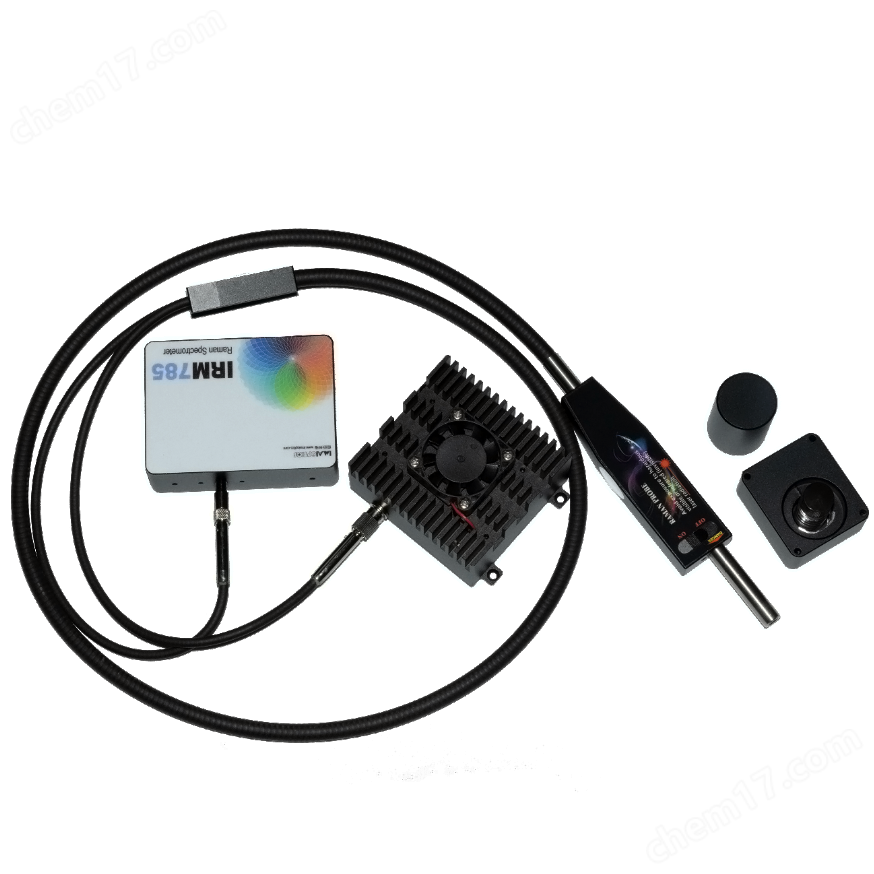
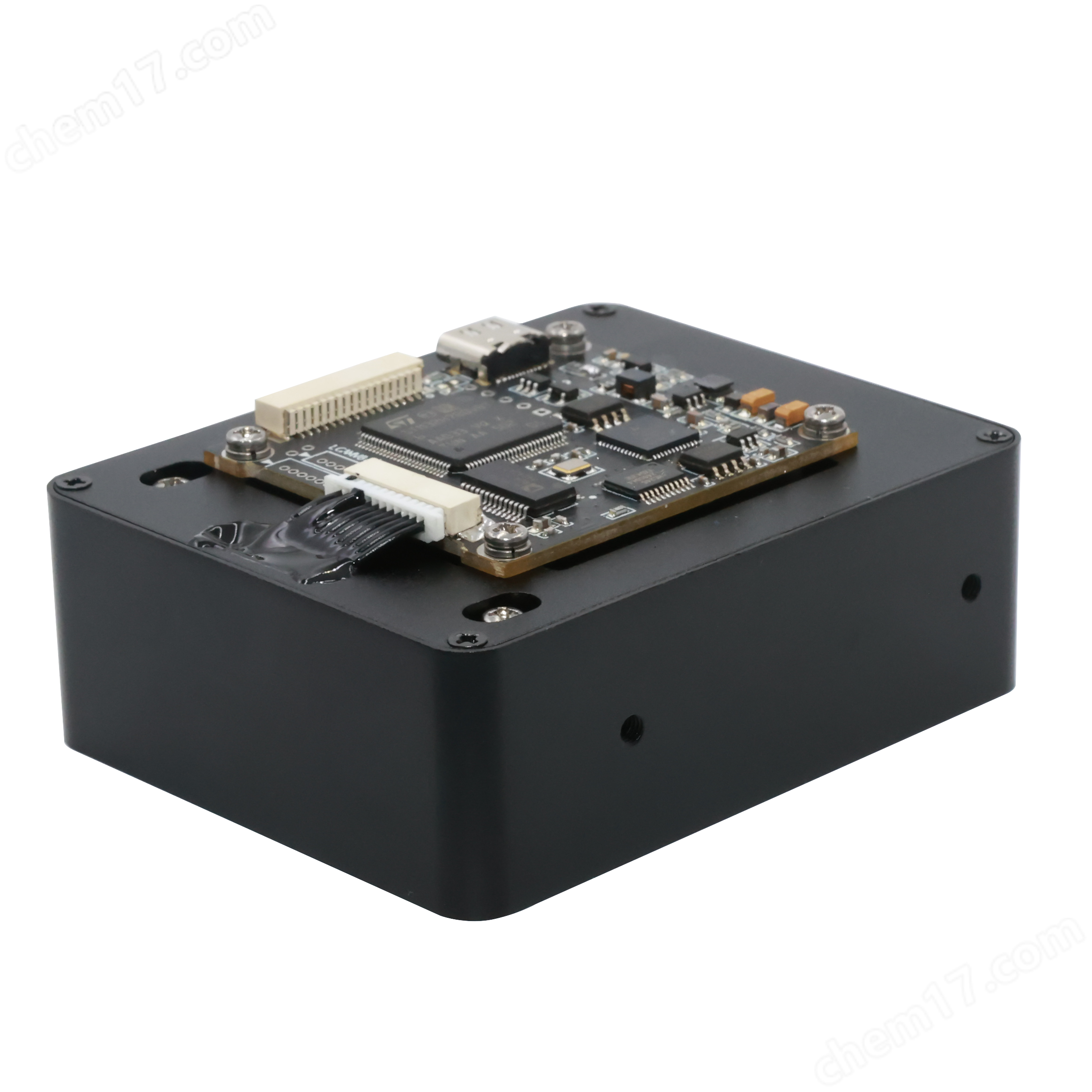
Built Raman spectrometer system
NegotiableUpdate on 05/07
- Model
- Nature of the Manufacturer
- Producers
- Product Category
- Place of Origin
Overview
The IRM785-L600-P75 built Raman spectrometer system mainly consists of a 785nm laser, a 785nm fiber optic probe, a fiber optic spectrometer, sampling accessories, and Raman signal acquisition software. It is suitable for research on Raman spectroscopy principles and applications in universities, research institutions, and enterprise development stages. Highly integrated functional modules are easy to build and store; Fast and non-destructive signal acquisition can be performed on samples in different states such as solid, powder, and liquid. Suitable for applications such as screening of raw materials, on-site testing, synthetic reactions, biomedicine, in vitro diagnostics, and substance analysis and identification.
Product Details
Feature List
Highly integrated and flexible in application;
◆ High stability, spectral response stability, high coupling efficiency, and high sensitivity;
◆ Integrated USB, UART, SPI, communication interfaces, providing C++, Python, C # Demo SDK source code.
Application case:
Materials Science: Material Analysis and Verification
Food Science: Safety and Quality Assessment
Equipment manufacturing: wafer testing
◆ Medical pharmaceuticals: raw material development, identification, and validation ◆ Custom performance: feasibility studies and prototype development
◆ R&D work: customization for R&D validation or special purposes
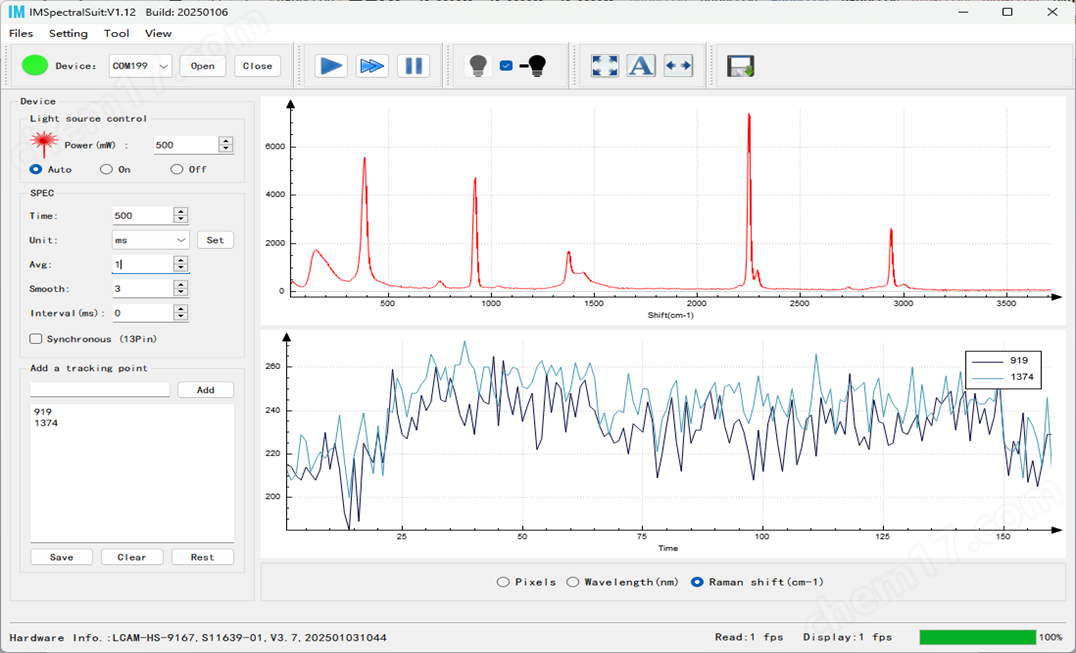
IMSpectralSuite software:
The software integrates functions such as light source control, feature point search, and single point tracking and recording.
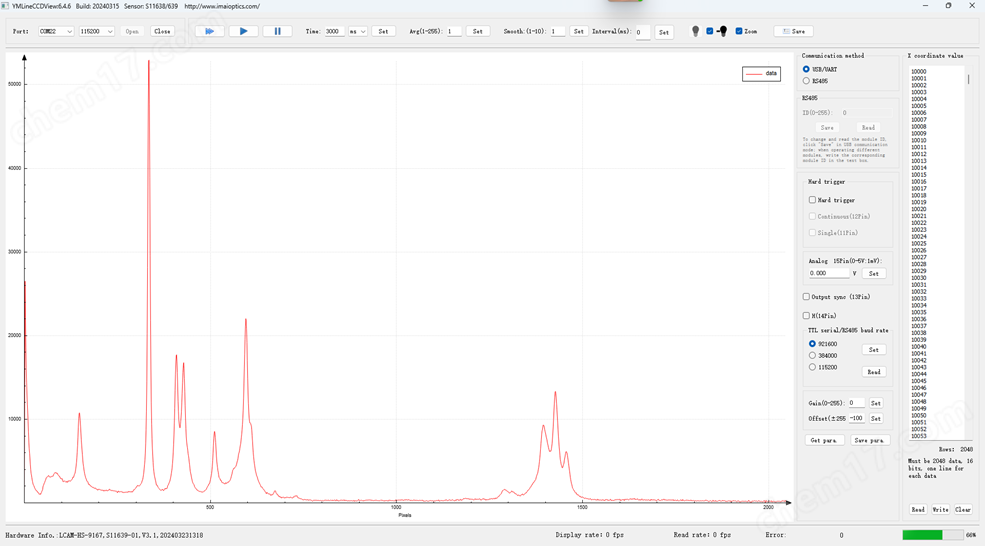
Software Development Kit (SDK)
Provide LineCCDView QT5 C++project source code, Python, C # source code, and communication protocol. Users can directly carry out secondary development in this framework and quickly build their own functions.
 、
IMSRam Raman specific software
◆ Integrated database management, data matching, light source control, report production, spectrum processing, one click acquisition, automatic background removal, multi spectrum overlay display and other functions. For details, please refer to the "IMSRam Raman Software User Manual".
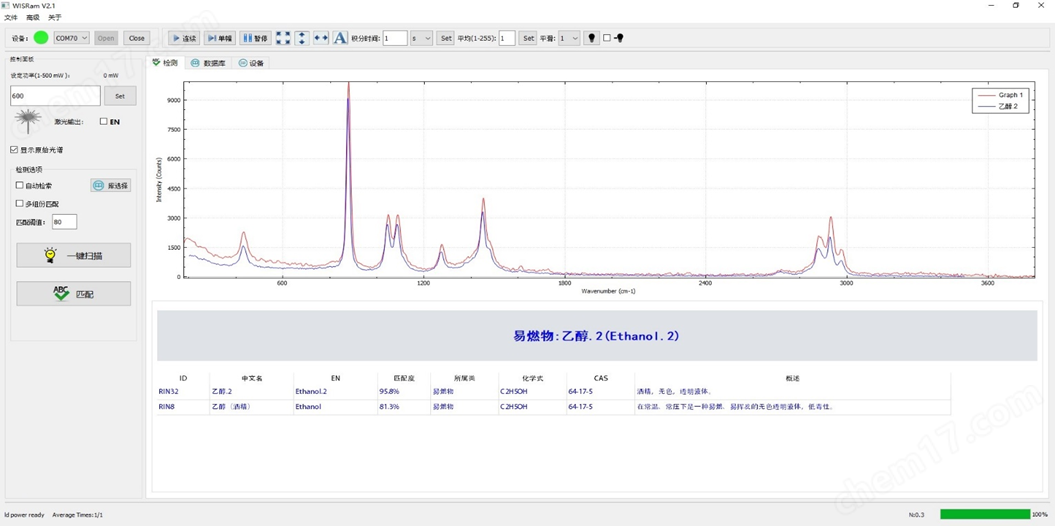
Product testing diagram:
乙腈@500 ms,500mw,50um Slit:
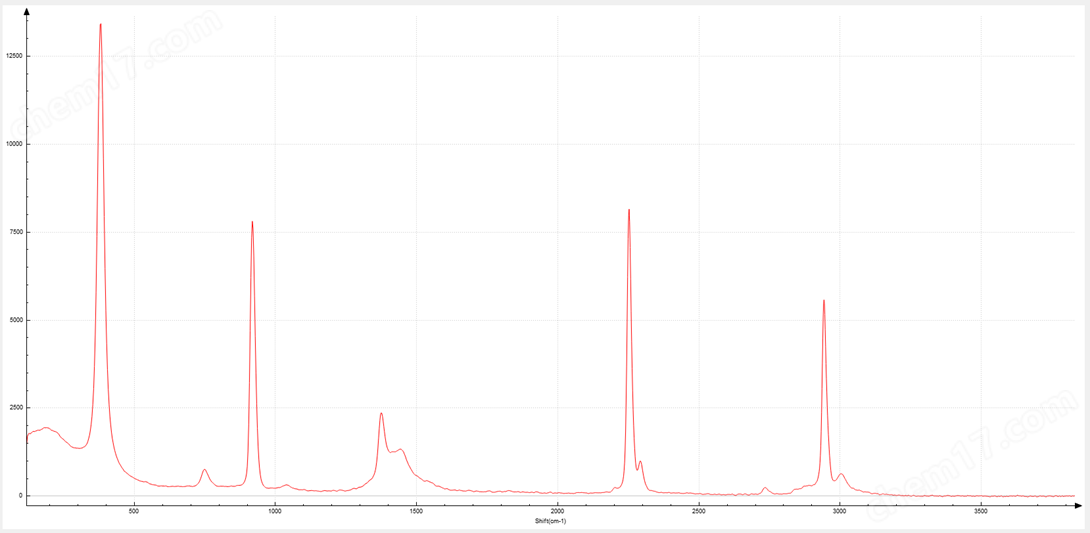
Monocrystalline silicon @ 500ms, 500mw, 50um Slit:

乙醇@500 ms,500mw,50um Slit:

Main parameter table:
IRM785-L600-P75Built Raman spectroscopy system | |
project |
value |
size |
a spectrometer:94×70×29mm Laser:80x75x37.5 mm Raman probe:107*30*13Fiber length1.5m |
weight |
a spectrometer:200gLaser, laser300gRaman probe:300g |
Laser interface |
FC/PC,105 µm VIS-NIR |
Fiber optic receiving interface |
SMA905,200 µm VIS-NIR |
output interface |
SMA905 |
spectral range |
180-3800cm-1 |
wavelength resolution |
10cm-1@50umNarrow slit,7cm-1@25umslit |
integration time |
20us-65535msAdjustable, time resolution:20-65535us@1us,1-65535ms@1ms |
excitation wavelength |
785±0.5nmLine width<0.05 nm |
Maximum frame rate |
>1500 Fps |
Laser power stability |
≤3% P-P(@4hrs) |
激光器使用寿命 |
5000.00hrs |
power supply |
Laser:5V/2AFiber optic spectrometer:USB@5V |
output power |
20-600mWadjustable |
Filter laser cut-off depth |
OD8 |
Probe working distance |
7.5mm |
Operating Temperature |
0-40℃ |
Operating Humidity |
5-80% |
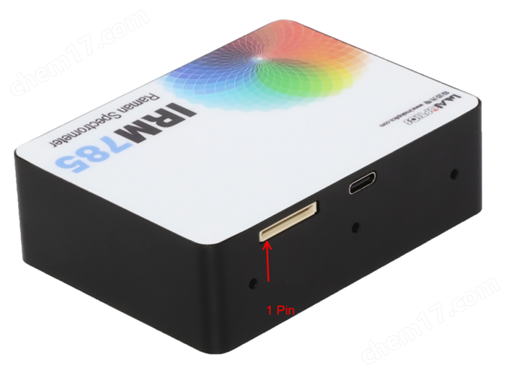
TTL interface (connector type SH1.0-16P):
pin |
name |
function |
1 Pin |
VUSB |
5Vpower input |
2 Pin |
VGND |
5V-power input |
3 Pin |
USB DP |
USBdataD+ |
4 Pin |
USB DM |
USBdataD- |
5 Pin |
SPI_MOSI |
SPIdata cable(3.3V) |
6 Pin |
SPI_MISO |
SPIdata cable(3.3V) |
7 Pin |
SPI_SCK |
SPIClock signal line(3.3V) |
8 Pin |
SPI_NSS |
SPIChip selection signal line(3.3V) |
9 Pin |
UART RX |
Serial data interface port(3.3V) |
10Pin |
UART TX |
Serial data transmission port(3.3V) |
11Pin |
Trigger In1 |
Single external trigger input(3.3V) |
12Pin |
Trigger In2 |
Continuous external trigger input(3.3V) |
13Pin |
Sync |
Synchronization signal output,5Vlevel |
14Pin |
Trigger Out2 |
Programmable output,5Vlevel |
15Pin |
Analog Out |
0-5VProgrammable voltage output |
16Pin |
GND |
GND |
Hardware connection:
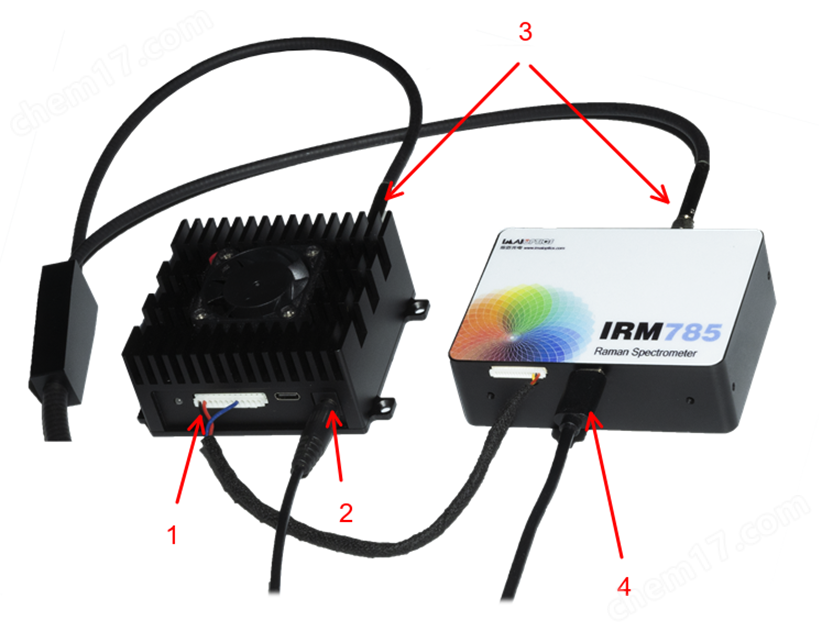
1. Connect the laser control line;
2. Connect the laser power adapter, 5 ± 0.5V, current>2A
3. Connect the Raman probe, laser FC/PC interface, spectrometer SMA905 interface, and tighten the nut after tightening;
4. Connect the USB cable to the computer;
5. Open the software, select the corresponding port number (if no port number is displayed, it may be due to the driver not being installed successfully, and some old systems may appear. You can click here to download and install the Win7 version driver), open the device, and after the device is connected, it will actively read the configuration data of the spectrometer and display hardware information, version number, serial number, etc. in the lower left corner of the software;
6. LineCCDView laser control: The right side analog voltage input controls the laser power, the 14P pin option box controls the laser switch, and IMSpectralSuite can directly control the laser power and switch on the laser control panel in the upper left corner.