-
E-mail
qianjuan@laserdl.cn
-
Phone
13451510854
-
Address
Building A1, Phase 1.1, Intelligent Manufacturing Industrial Park, Dachang Hui Autonomous County, Langfang City, Hebei Province
Deresheke (Langfang) Technology Co., Ltd
Chasing Light Classroom | WPVS Standard Solar Cell Software Calibration Process: Building a Foundation for Accurate Testing
Date: 2025-10-15Read: 0
In the photovoltaic laboratory, the performance characterization of material research and development, precise verification of device efficiency, and regular traceability calibration of testing equipment are all based on the core premise of "data credibility" - and WPVS standard solar cells are the "core benchmark" that supports these precise tests.
Unlike production lines that focus on efficient testing, laboratories have higher requirements for data accuracy and repeatability. From comparing the efficiency of a single material modification to verifying scientific research results, they all rely on WPVS batteries as I-V testersSolar simulatorProvide reliable calibration basis.
If the WPVS battery is not properly calibrated through software, it will not only lead to equipment testing deviations, but may also affect the accuracy of experimental conclusions and the traceability of scientific research data. Today's' Chasing Light Classroom 'focuses on the practical needs in laboratory scenarios, dismantling the software calibration process of WPVS standard solar cells, and helping laboratory personnel build a solid foundation for accurate testing.
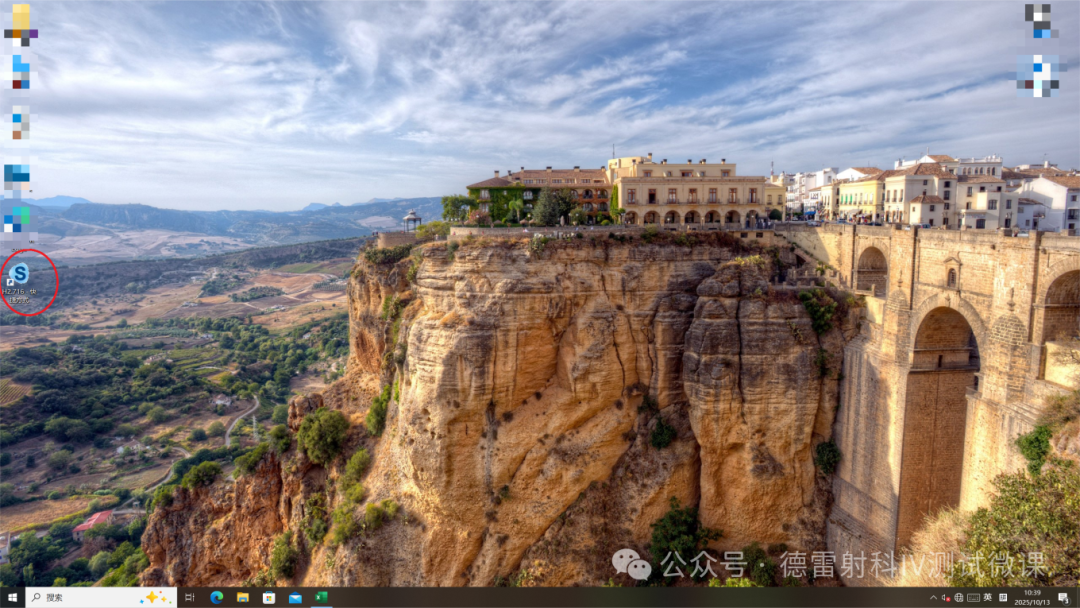
1Find the IV testing software icon on the computer desktop.
2Double click to open.
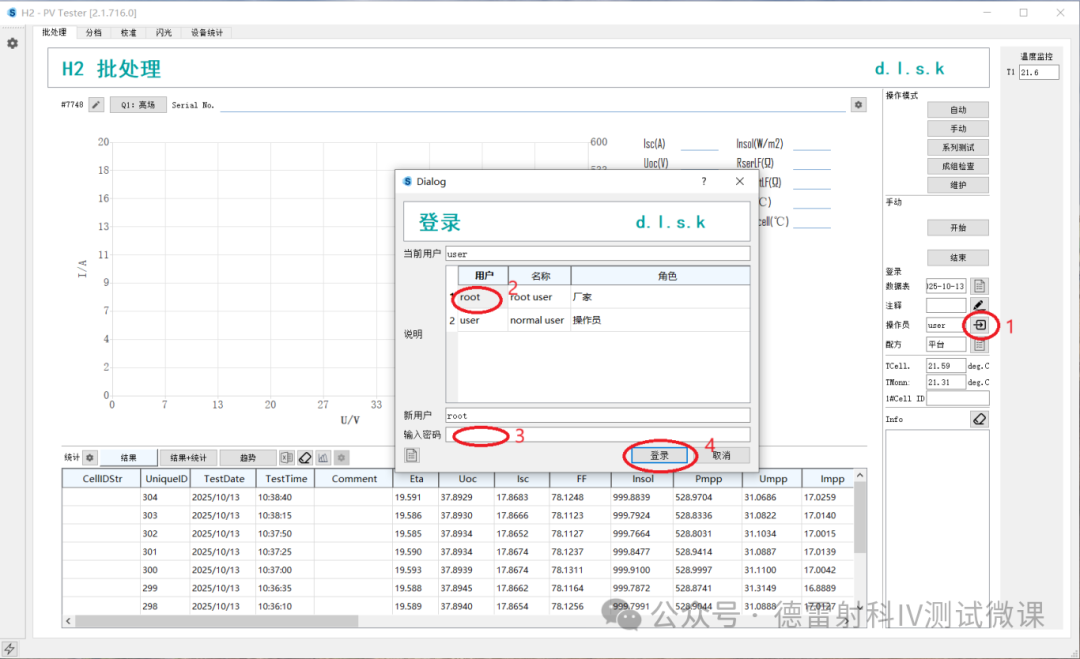
1Click on the account.
2Select an account.
3Input password. (Note: The password is "scauto")
4Click to log in.
1Click on maintenance.
2Click on the flash.
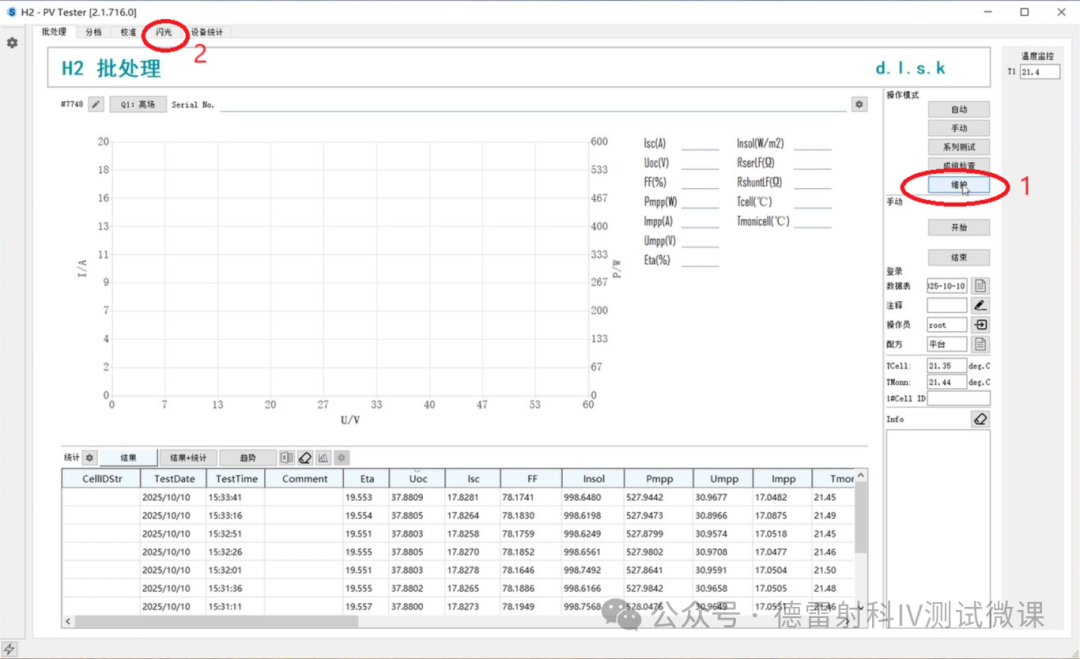
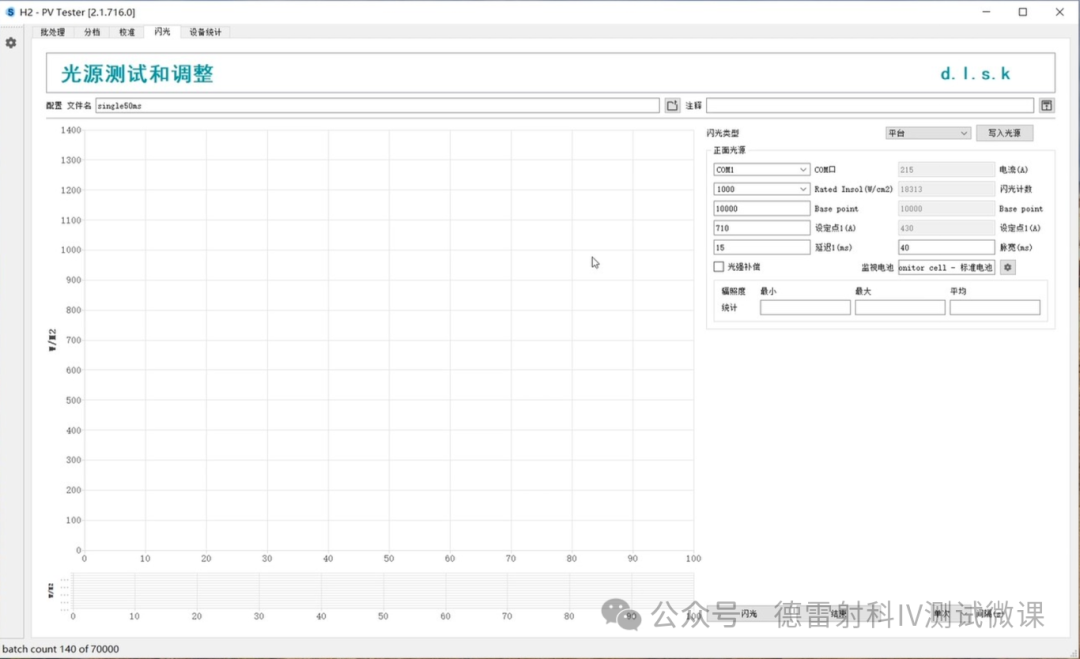
3Enter the flashing interface.
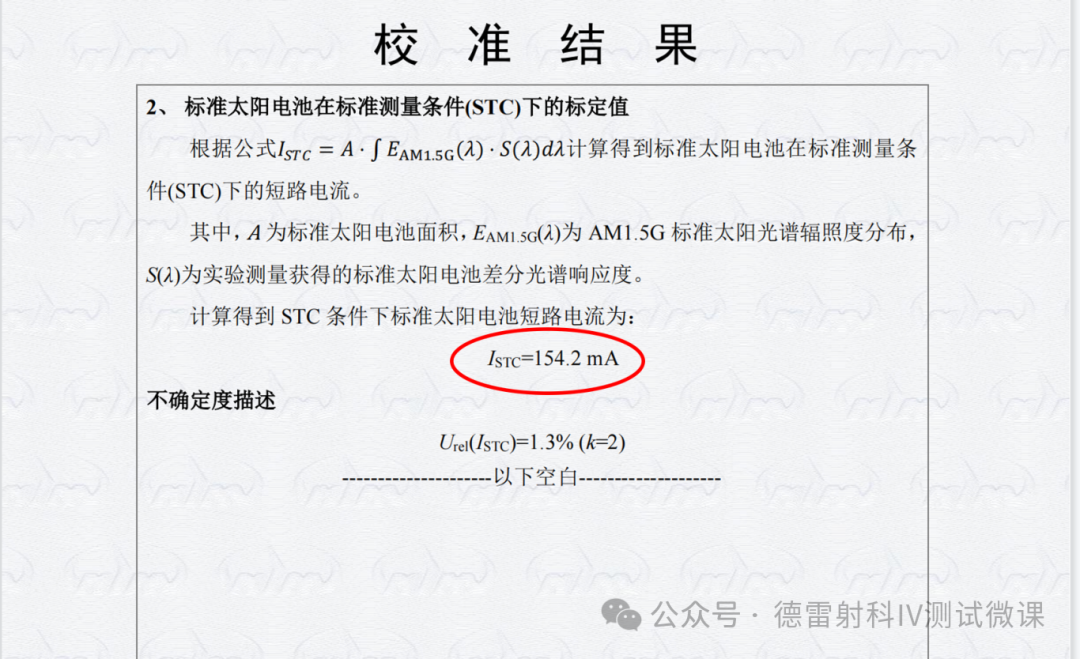
1Open the WPVS battery measurement certificate and find the "Short Circuit Current Value of Standard Solar Cells under STC Conditions". Fill it in the "Rated" section of the software monitoring battery.(Pay attention to unit conversion and ensure that the certificate number and battery number are consistent before obtaining the parameters)
2Click on the flashing interface to monitor the gear behind the battery and enter the monitoring battery settings interface to enter data.
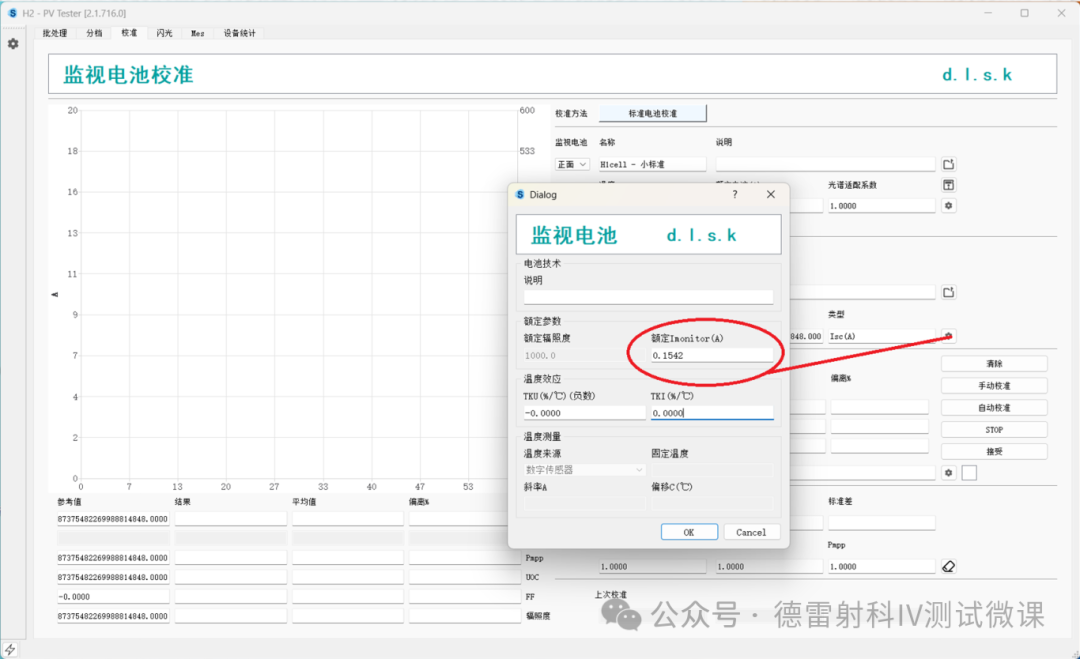
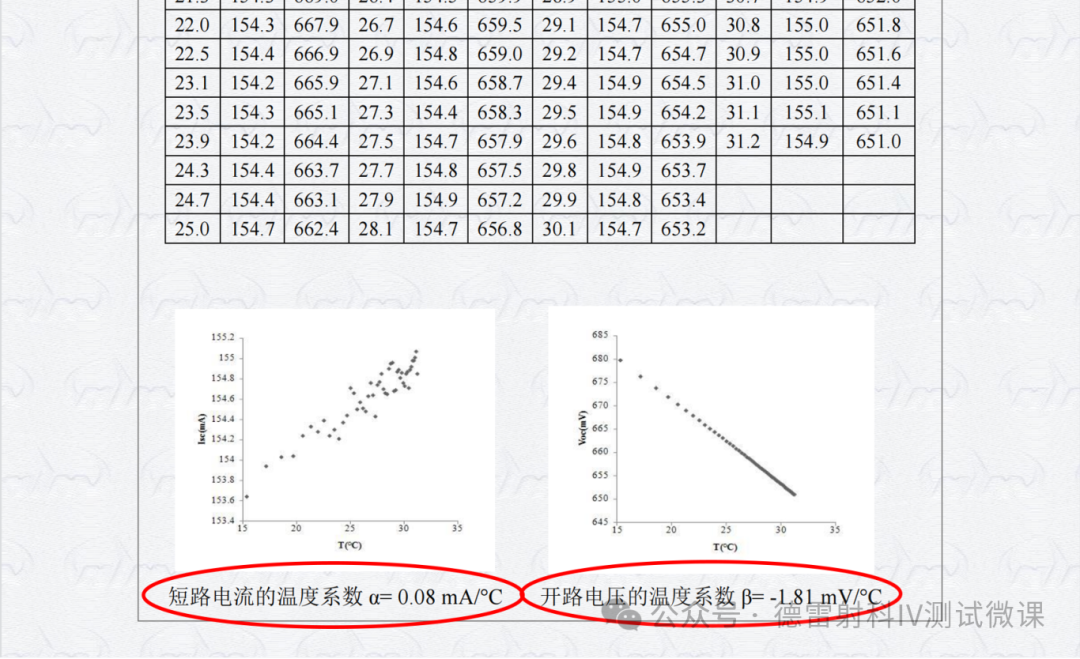
3Enter the temperature compensation coefficient.
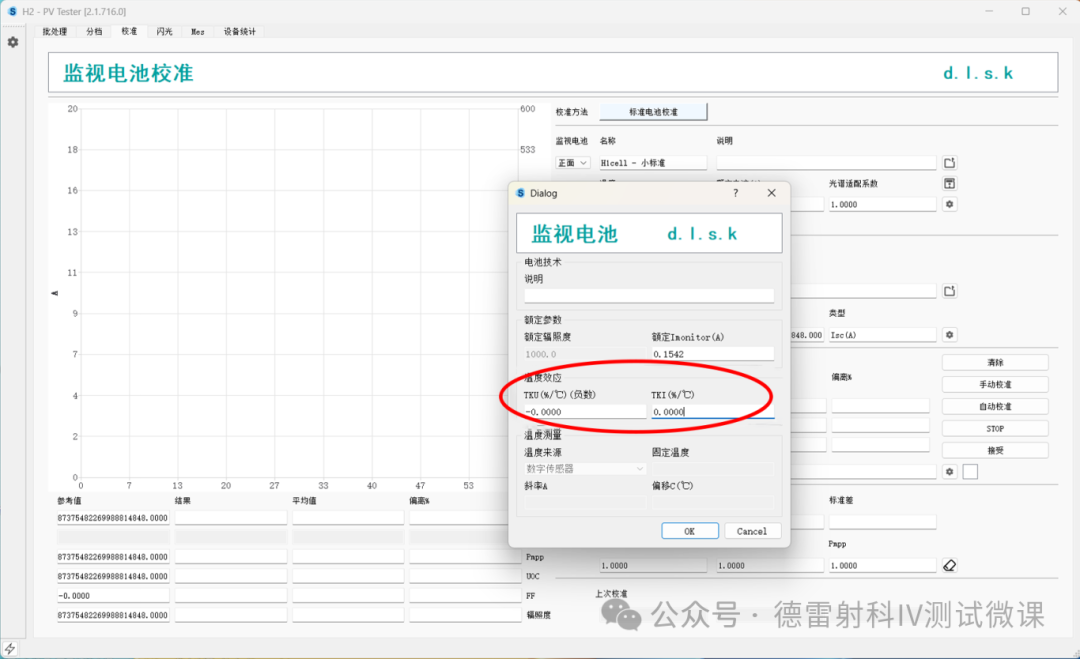
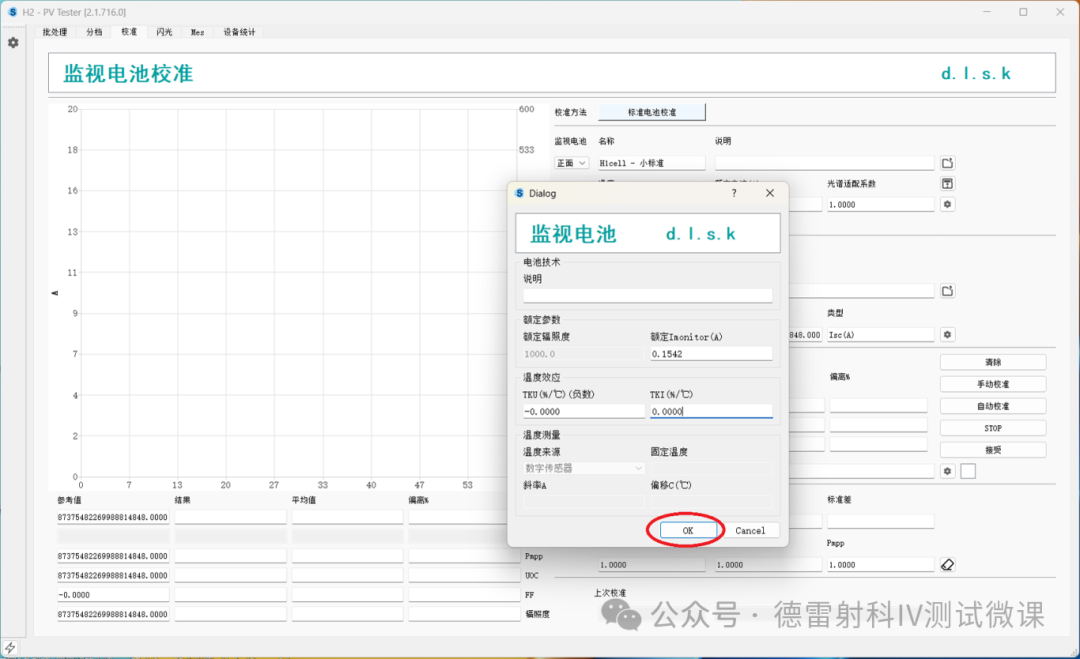
4Click OK to save the data.
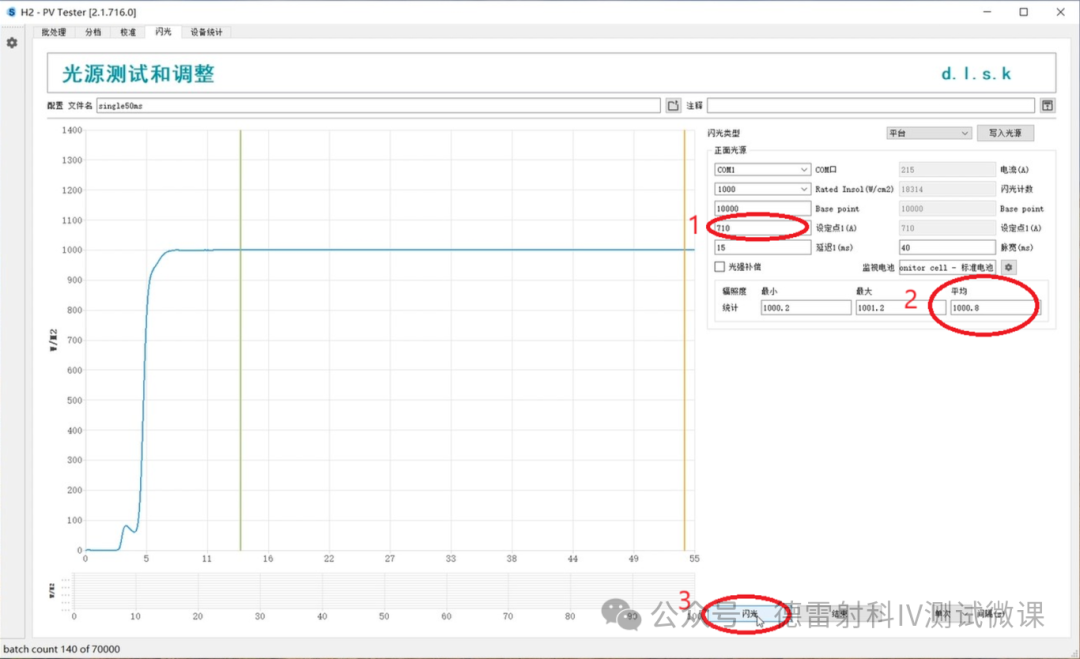
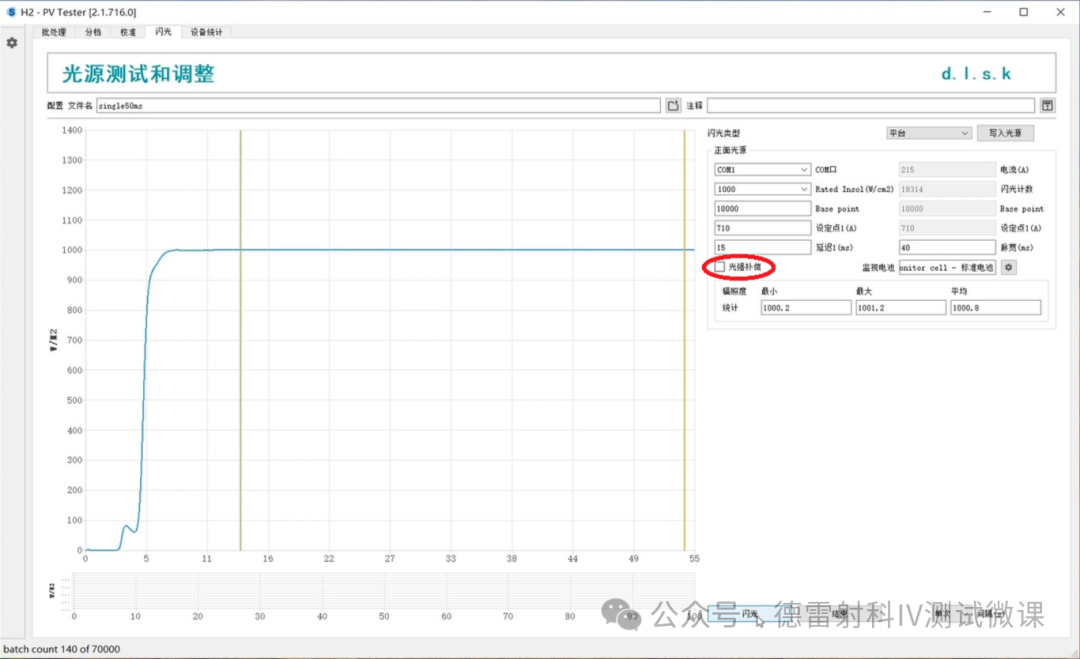
1Light intensity compensation is turned off.
2Click the flash button to test and obtain the average light intensity.
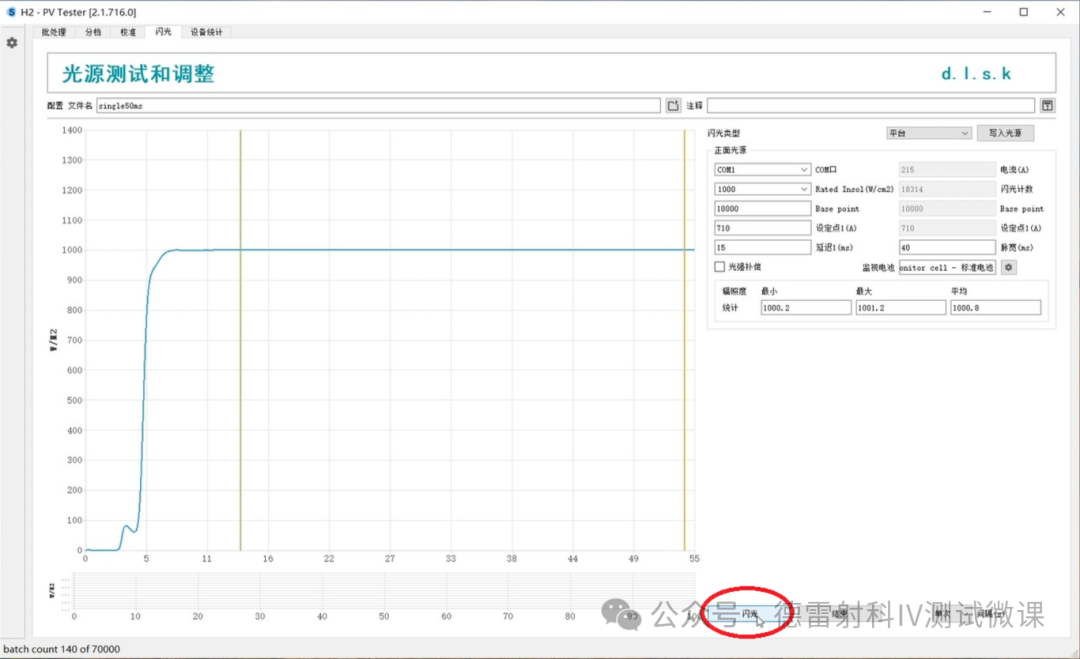
3Has the average irradiance reached 1000? If it is above 1000, decrease the set point value and click flash until it reaches 1000. If it is below 1000, increase the set point value,At this moment, the light intensity is 1000.