-
E-mail
brook_meng@163.com
-
Phone
18120066267
-
Address
No. 168 Youxin Road, Wuzhong District, Suzhou City, Jiangsu Province
Suzhou Weiruike Electronics Co., Ltd
Tektronix oscilloscope operation guide for saving complete CSV data with timestamp and channel information
Date: 2025-12-19Read: 80
In the process of electronic measurement and signal analysis, the Tektronix oscilloscope has become a crucial tool for engineers due to its high precision and powerful functions. For the convenience of subsequent data analysis, simulation verification, or report writing, it is particularly crucial to save the captured waveform data in a structured format. Among them, CSV (comma separated values) files have become the preferred format due to their strong versatility and compatibility with analysis platforms such as Excel, MATLAB, and Python. The following are detailed steps to help you save waveform data containing timestamps and channel information in its entirety.
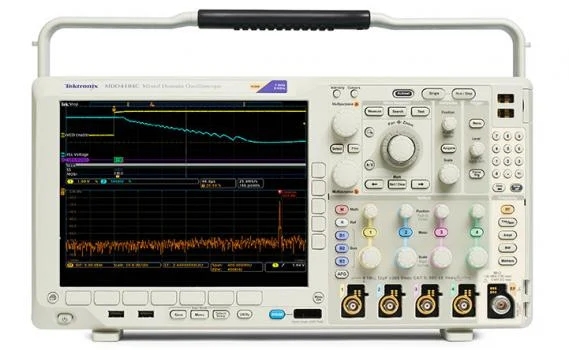
1、 Preparation in advance: Connection and parameter settings
Firstly, use a probe to connect the test signal to the oscilloscope channel (such as CH1, CH2), and adjust the vertical sensitivity, time base, and trigger settings to ensure stable waveform display. It is recommended to enable automatic triggering mode to capture transient or periodic signals and avoid data distortion.
2、 Enter the storage interface and select CSV format
Press the "Save/Recall" or "File" button on the oscilloscope panel to enter the storage menu. Select 'CSV' format in the 'File Format' option. Some models (such as MSO5000 series) require operation through the "File>Save As" path, while DPO4000 series is located in "Acquire>Save Waveform". After selecting CSV, the delimiter can be further set to "comma", and the decimal point format follows the IEEE 754 standard to ensure data accuracy.
3、 Configure data scope and metadata
Select 'Full Acquisition' in 'Save Range' to save the complete capture cycle, or customize the time period (such as 2ms before and after triggering). To ensure data integrity, it is recommended to enable the 'Time Stamp' option to automatically generate timestamps (in seconds or microseconds) for the first column of CSV. Channel information is usually automatically annotated in the form of column headings, such as "CH1 (V)" and "CH2 (V)". Some high-end and low-end models support adding annotation lines in the file header to record metadata such as oscilloscope model, sampling rate, and trigger time, enhancing data traceability.
4、 Set path, name, and execute save
Insert the USB drive into the oscilloscope's USB port and select "USB Drive" in the storage path. It is recommended to use a standardized naming convention for file names, such as "20250506FHIR 1_PWM_5V. csv", for easy classification and management. After confirming that the settings are correct, click the "Save" button, and the oscilloscope will display a progress bar. After saving, you can view the file properties in the file list.
5、 Data validation and subsequent processing
Connect the USB flash drive to the computer and open the CSV file using Excel or Python pandas library. Verify that the first column is the timestamp, and the subsequent columns are the voltage values of each channel, and check the continuity and accuracy of the data. For high sampling rate data (such as 10GS/s), pay attention to the file size and if necessary, save it in segments or save it as native first Convert TDS format again.
Notes:
-Avoid file duplication that may cause overwriting;
-Pay attention to the writing speed of storage media during high-speed sampling;
-If higher accuracy is required, it is recommended to combine Tektronix ScopeConnect or third-party software for post-processing.
Through the above steps, you can efficiently obtain structurally complete and informative CSV waveform data, providing solid support for scientific research, debugging, and document preparation.
Our advantages include German, Tektronix, Japanese, Guwei, Adx, Puyuan, Tonghui, Dingyang, Anbai, etc.