How to create a pH electrode calibration method for 916Ti Touch?
Date: 2025-09-05Read: 4
Before testing the pH value of the solution or using it for SET mode titration, it is necessary to ensure thatpH electrodeThe accuracy of the test result values. The confirmation method can be calibrated through electrodes. How to create a calibration method for pH electrodes for 916Ti Touch?
There are mainly three steps:
1. Transfer Method Template
2. Edit parameters
3、 保存方法
1、 Transfer Method Template
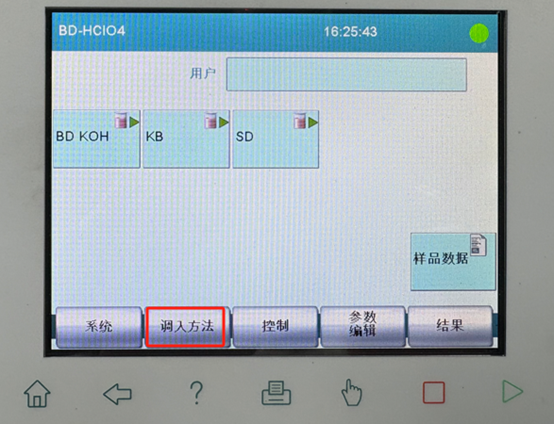
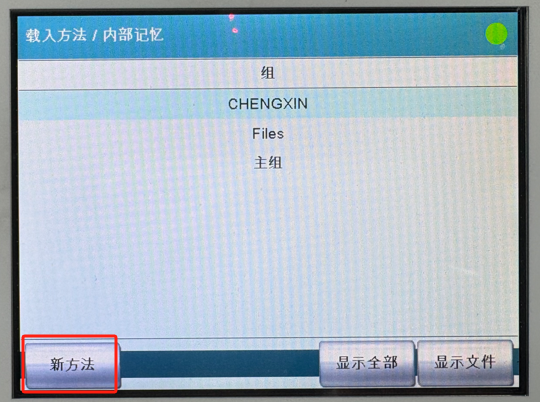
On the main interface of the instrument, selectTransfer in method--new method
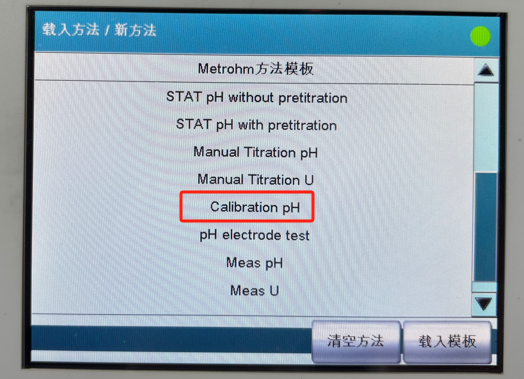
choiceCalibration pHLater selectionLoad Template.
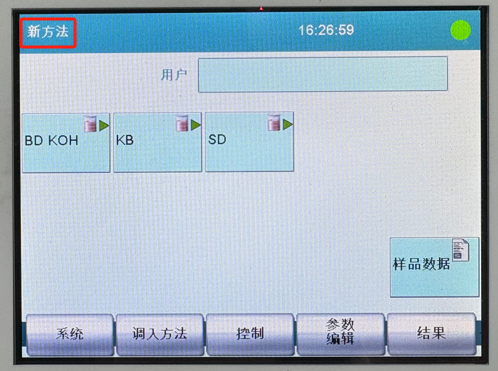
After importing the method from the template, you can see it from the top left corner of the screennew method.
Continuing with the above steps, select on the main interfaceParameter editingThen enter the following interface:
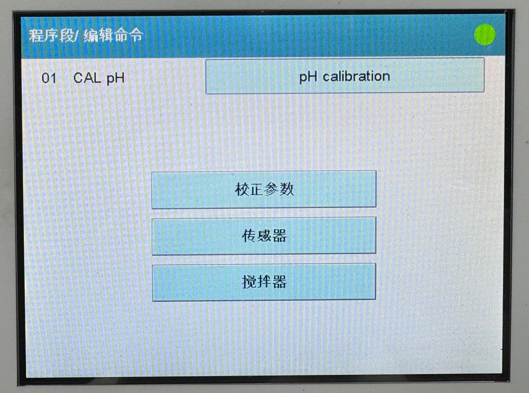
Editing of CAL pH command
Select from the above interfaceCAL pH, clickEdit Command, separately forcalibration parameters、sensorandblenderMake settings.
(1) Correction parameters
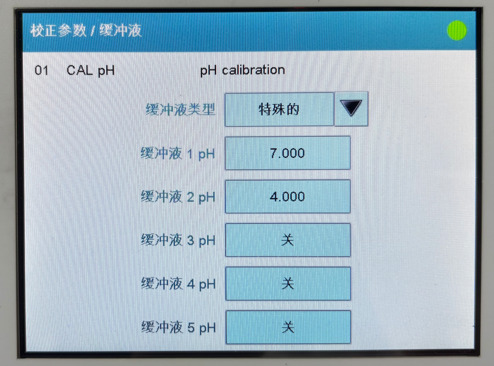
clickcalibration parametersThen enter the following interface and use the default values:
choicebuffer solutionThe default settings are as follows:
✔ If using buffer solutions from other manufacturers, you can click on the black triangle behind Metrohm to select the type of buffer solution;
✔ If there is no corresponding option in the drop-down list, you can choose a special option and fill in the specific value of the buffer based on the number of buffer solutions.
(2) Sensors
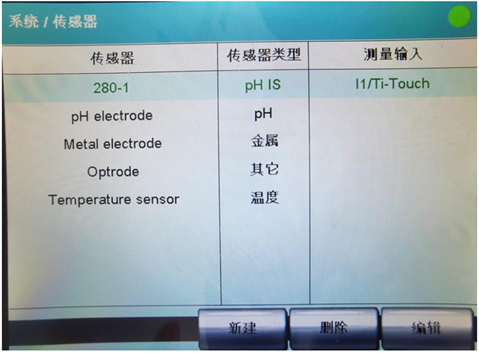
Select the pH electrode to calibrate. If it is a smart electrode and the name of the electrode is uncertain, you can go tosystem—sensorConfirm the name of the electrode in the interface and make the correct selection in the method. As shown in the figure below, the sensor recognized by the instrument is 280-1. Select this sensor.
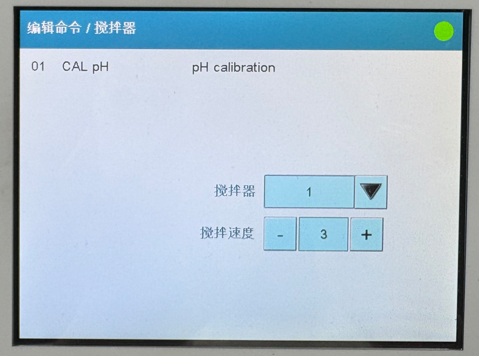
blenderpressThe default value is set to 1,stirring speedSet to 2 or 3 to ensure that the buffer is in a weakly stirred state and does not introduce carbon dioxide from the air.
Instructions for Editing the REPORT Command
The REPORT command can be set by default or customized as needed.
Note:The REPORT command can transfer experimental data in real-time to a printer or USB drive. If the printer or USB drive is not connected, you can“REPORT”Command to delete to avoid errors.
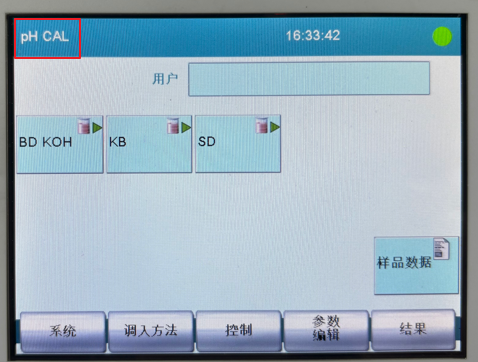
After saving the method, you can see the newly saved method name pH CAL in the upper left corner of the main interface, so you can run this method and calibrate the pH electrode.