-
E-mail
qianjuan@laserdl.cn
-
Phone
13451510854
-
Address
Building A1, Phase 1.1, Intelligent Manufacturing Industrial Park, Dachang Hui Autonomous County, Langfang City, Hebei Province
Deresheke (Langfang) Technology Co., Ltd
Want to prolong the lifespan of devices? Xenon lamp transient solar simulator (component) lamp replacement and maintenance guide
Date: 2025-07-31Read: 2

Ensure the machineShutdown and dischargeUnder the circumstances:The accumulated voltage value of three meters is less than 36VAs shown in the figure below(Remember to discharge the battery)

After the machine is powered off, open the side cover of the lightbox.
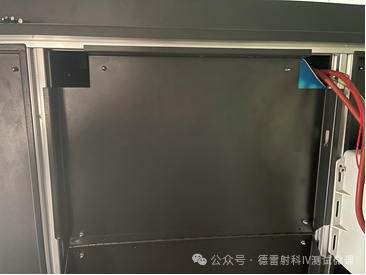
After opening the side cover, use an Allen wrench to loosen the screw at the marked position and remove it.
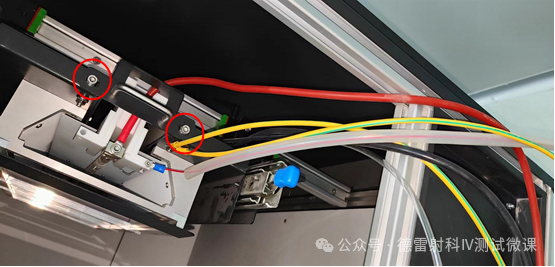
Hold the arrow position in the picture and pull out the lamp holder as a whole.
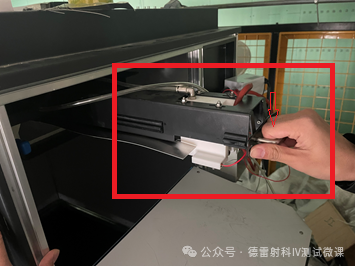
Place the lamp holder in a flat and safe position, use an Allen wrench to loosen the two screws circled in red in the picture, and remove the lamp trigger wire.
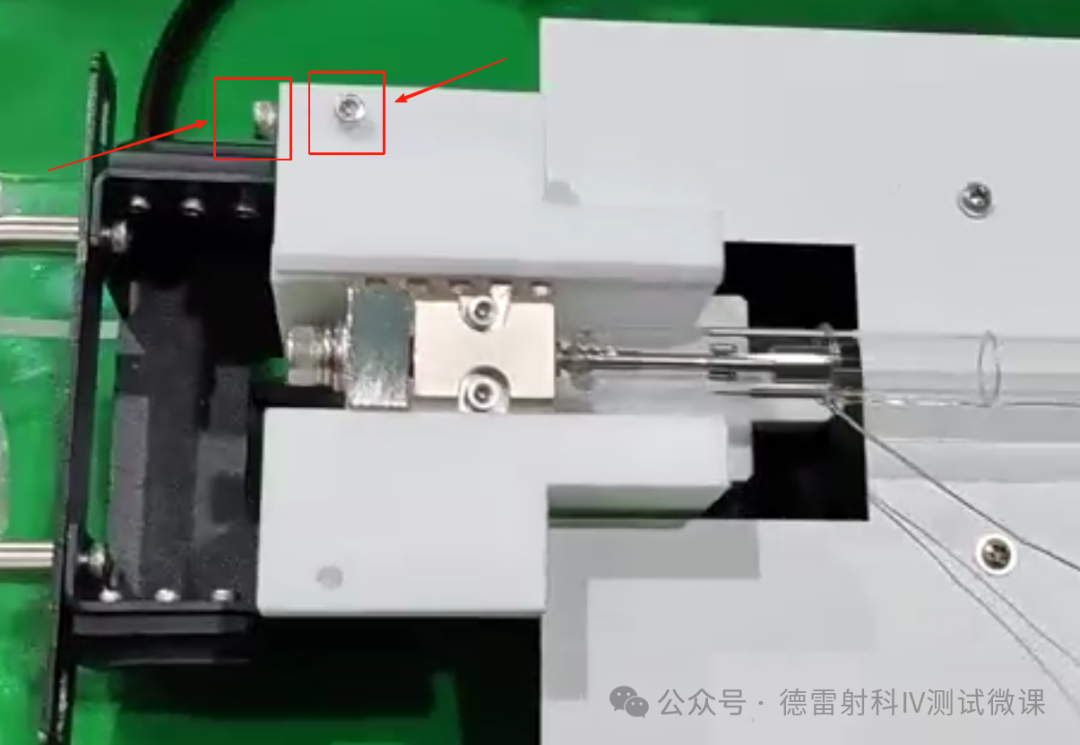
Use an Allen wrench to loosen the four screws circled in red in the picture, remove the pressure blocks on both sides, and take off the lamp tube.

Remove the new lamp tube(Be sure to wear gloves to avoid touching the lamp tube with your hands)Trigger one end of the wire towards the direction of the handle and place it in the original position of the lamp tube.
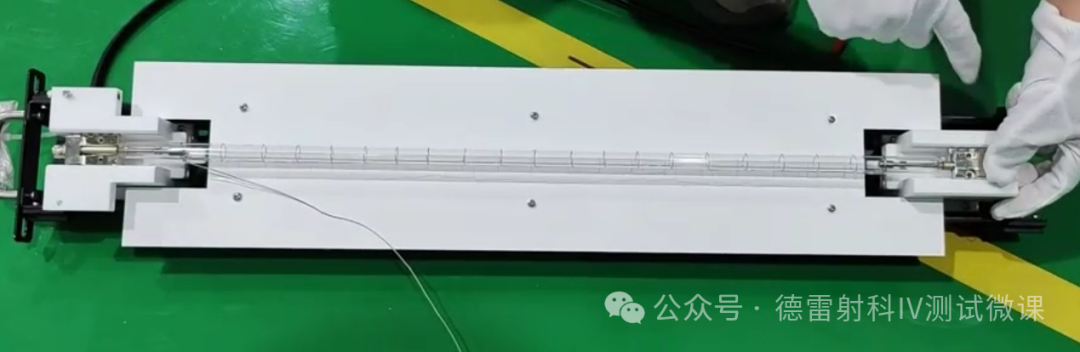
Place the pressure blocks on both sides onto the lamp pole. Once the lamp tube is centered, start fixing the four screws on both sides(When tightening screws, be careful not to tighten them too hard to prevent the lamp electrode from being crushed. The force should be just the same as the screw, and there should be no gaps on each side of the screw)
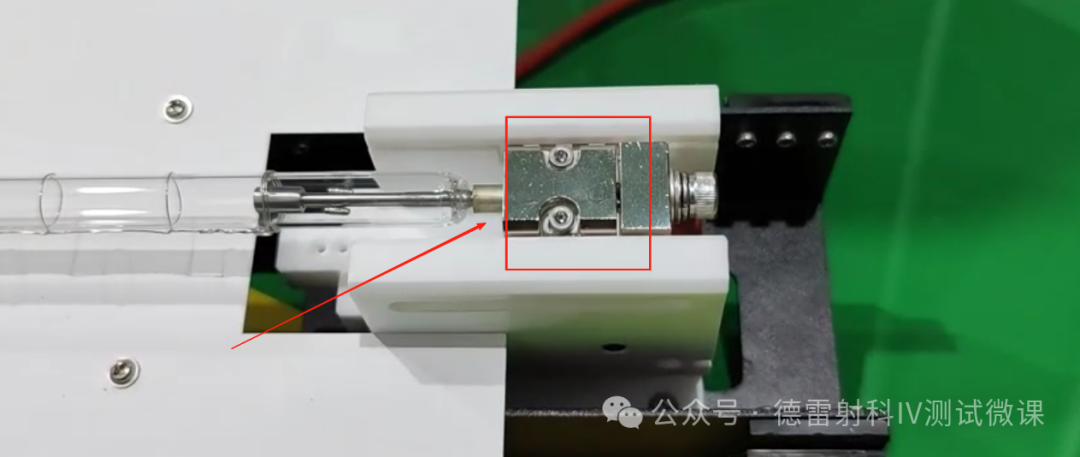
After fixing the screws, find the filament trigger wire, thread the trigger wire into the red marked position in the figure below, then thread it into the copper pillar, reserve enough length of trigger wire, cut off the excess, and tighten the two screws marked in red in the figure below.
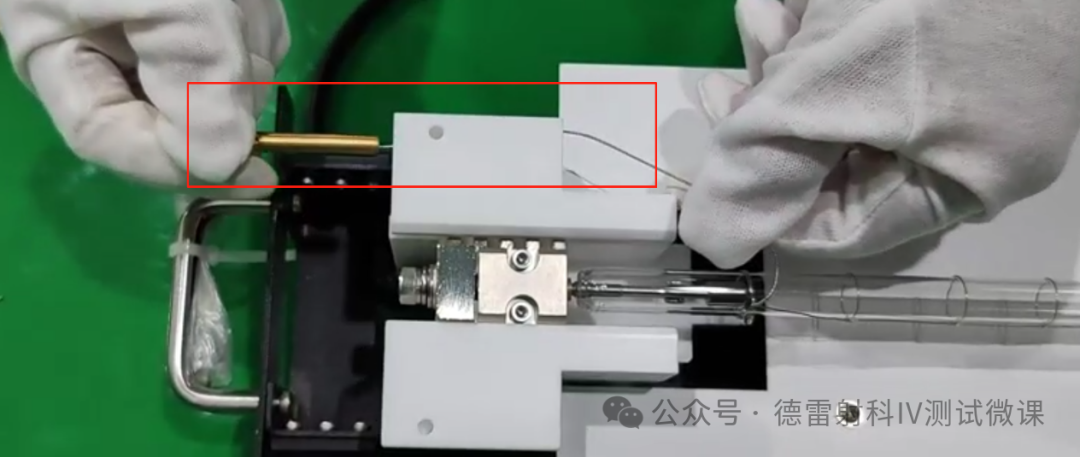

After confirming the installation is complete, insert the lamp holder into the lamp head in the direction of the arrow in the following figure, fix the two screws removed in the third step, and then fix the side sealing plate.

After replacing the lamp tube, take away the garbage in a timely manner, regularly clean and inspect the cleanliness of the top of the darkroom, and prohibit other unrelated personnel from entering the top of the darkroom.


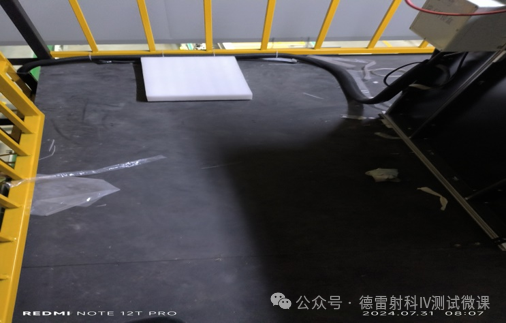
Regularly clean the top of the darkroom to prevent dust from entering the lamp head and affecting the test results.


When replacing the lamp tube, check for foreign objects on the filter, which can affect the spectrum and uniformity. Regularly clean the filter, wipe both sides of the filter with alcohol and a dust-free cloth. Excessive dust on the filter can reduce the light efficiency and cause hidden dangers such as increased power supply current. Ensure that the front and back of the filter are clean and do not affect the spectrum to ensure normal testing data of the equipment.


